Download settings
Armarium downloads with Libation, and Server → Downloads gives you its options for everyone. Armarium’s own picks are only the defaults; change what you like. A change applies to the next download. Books already on the shelf stay as they are.
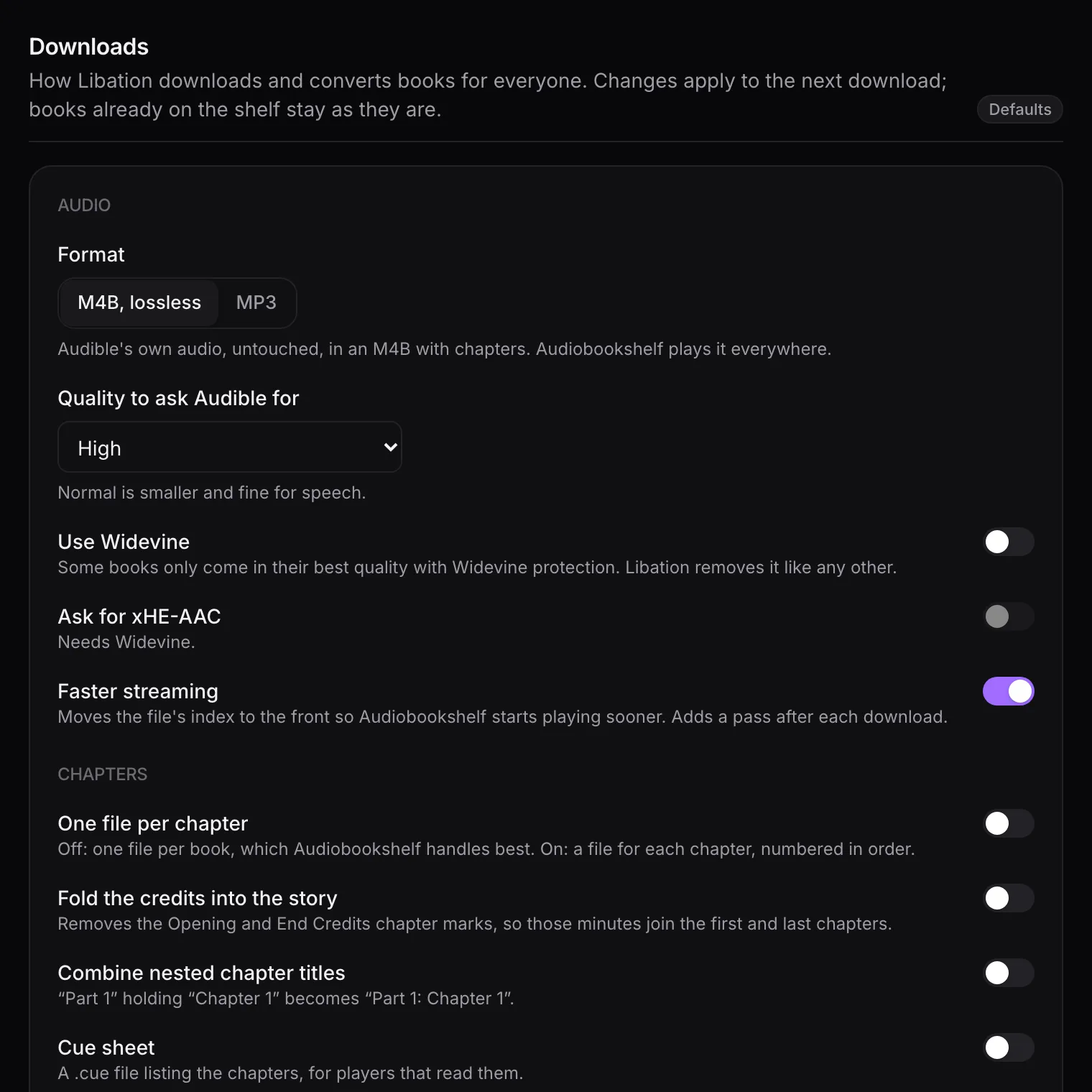
The badge by the title counts how many settings differ from the defaults, and Back to the defaults resets them all.
| Setting | Default | What it does |
|---|---|---|
| Format | M4B, lossless | M4B keeps Audible’s audio untouched, with chapters. MP3 re-encodes it: smaller and plays anywhere, at some loss. |
| Quality to ask Audible for | High | Normal is smaller and fine for speech. |
| Use Widevine | Off | Some books only come in their best quality with Widevine protection. Libation removes it like any other. |
| Ask for xHE-AAC | Off | Better quality than the usual AAC-LC; not every player handles it. Needs Widevine. |
| Faster streaming | On | Moves the file’s index to the front so playback starts sooner. Adds a pass after each download. |
With MP3, a panel opens with Libation’s encoder options: aim for a quality level (0 best to 9 smallest) or a bitrate (16–320 kbps, constant or variable, optionally capped at the source’s), encoder speed, highest sample rate, and mono.
Chapters
Section titled “Chapters”| Setting | Default | What it does |
|---|---|---|
| One file per chapter | Off | A file per chapter, numbered in order, instead of one file per book. Audiobookshelf handles a single file best. |
| Shortest chapter | 3 s | When splitting, shorter chapters join the next one. |
| Fold the credits into the story | Off | Drops the Opening and End Credits chapter marks. |
| Combine nested chapter titles | Off | “Part 1” holding “Chapter 1” becomes “Part 1: Chapter 1”. |
| Cue sheet | Off | A .cue file listing the chapters. |
Tidying up
Section titled “Tidying up”| Setting | Default | What it does |
|---|---|---|
| Strip Audible branding | On | Cuts “This is Audible” from the start and end. |
| Drop “(Unabridged)” from titles | Off | In the file’s tags. |
| Let Libation fix up tags | On | Adds genres, narrators, the cover and other tags Audiobookshelf reads. |
| Cover image | On | Saves the cover next to the book. |
| Clips and bookmarks | Off | Saves the owner’s Audible clips and bookmarks next to the book, as CSV, Excel or JSON. |
| File “created” / “modified” date | When the file was made | Or the book’s release date, or when it was added on Audible. |
Libraries and bandwidth
Section titled “Libraries and bandwidth”| Setting | Default | What it does |
|---|---|---|
| Include Audible Plus titles | On | Books members borrow with Audible Plus rather than own. Off keeps them out of everyone’s library here. |
| Speed limit per download | No limit | In KB/s; Libation’s lowest limit is 64 KB/s. |
What Armarium keeps to itself
Section titled “What Armarium keeps to itself”A few Libation settings stay fixed because putting books on the shelf depends on them:
- where downloads wait and how they’re named there (one folder per ASIN),
- Libation’s metadata file (Armarium keeps it in its database, not in your library),
- no podcasts or episodes,
- no background scans (Armarium schedules them),
- no upload from Libation to Audiobookshelf (Armarium places books itself),
- no keeping the encrypted original file.
Where the finished book goes is your folder template.