
Members and invites
There’s no open sign-up. People get in one of four ways:
- The first-run setup creates the first admin.
- An admin adds them with a first password.
- An admin sends an invite link; they choose their own name and password, or use single sign-on.
- Single sign-on lets your provider’s users in on their own, if you allow it (see Single sign-on).
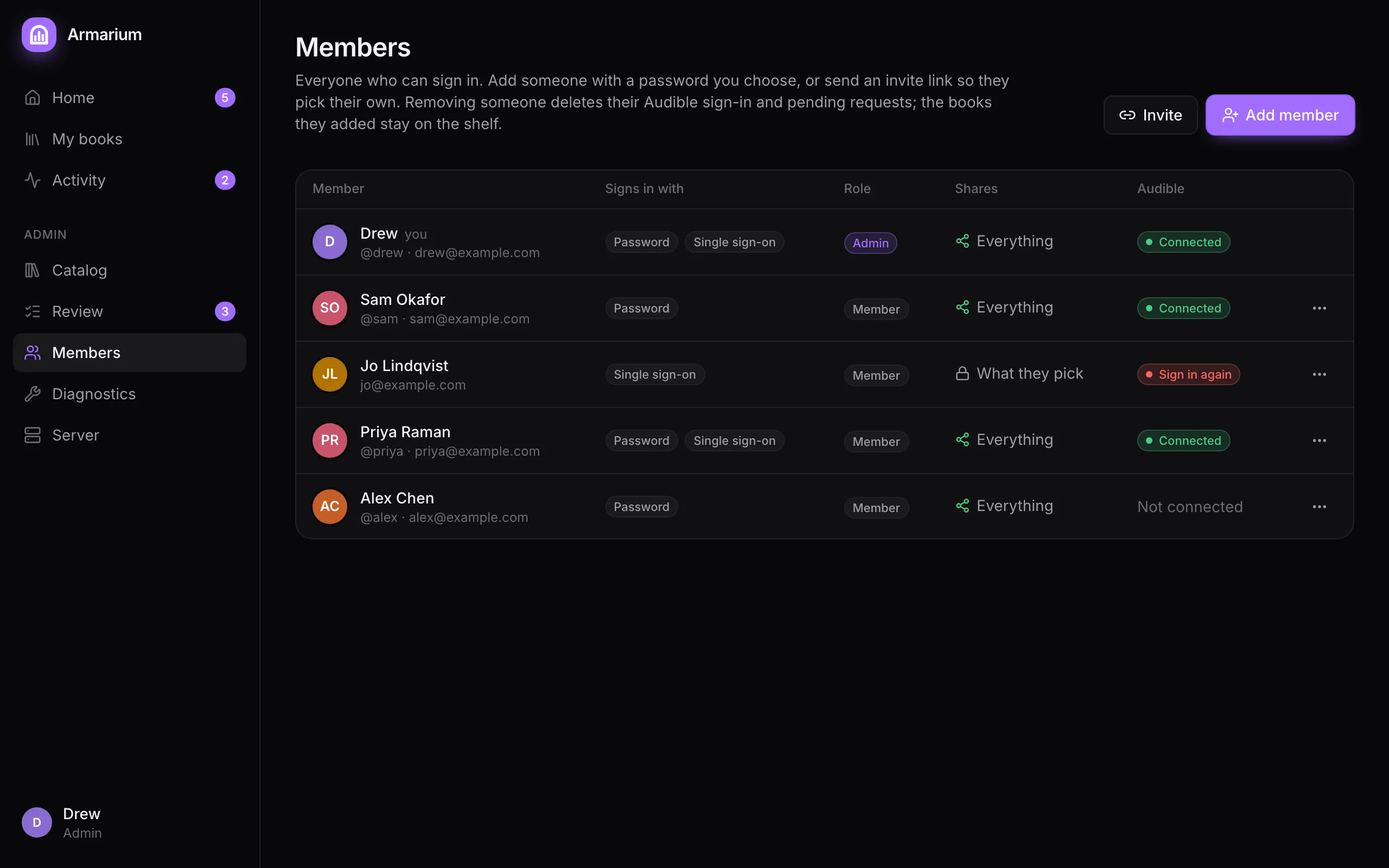
The table shows how each person signs in (password, single sign-on, or both), their role, whether they share their whole library, and their Audible accounts.
- Member: adds their own books.
- Admin: also reviews requests and runs the server.
Change a role from the ⋯ menu on their row. With an admin group set for single sign-on, the provider decides roles instead, at every sign-in. Armarium never demotes the last admin.
Invite links
Section titled “Invite links”Invite makes a link that works once. Choose:
- Who it’s for (optional; only admins see it, so you can tell open invites apart),
- Role,
- Link expires after: 1 day, 3 days (the default), 1 week or 30 days.
The link is shown once: copy it and send it however you like. Unused links are listed under Open invites, where you can Revoke them.
Adding someone directly
Section titled “Adding someone directly”Add member asks for a name, a username (2–32 letters, digits, dots, dashes or underscores), an optional email, a role and a first password (a random one is suggested). Send them their username and password yourself. If you enter their email, their account links up the first time they sign in with single sign-on using that same, verified address.
Passwords
Section titled “Passwords”⋯ → Set a new password replaces someone’s password and signs them out everywhere. Members change their own under Settings.
After 5 wrong passwords in 15 minutes, a username is locked out until the 15 minutes are up.
Removing someone
Section titled “Removing someone”⋯ → Remove… signs them out at once, deletes their Audible sign-in and their pending requests, and stops their single sign-on working here. The books they added stay on the shelf. Only a new invite brings them back.