
Connect Audible
Armarium downloads your books with your own Audible account. You sign in on Amazon’s own page, in your own browser; Armarium never sees your password. It keeps the sign-in Amazon hands back, encrypted on the server.
Open Settings from the menu under your name, then Audible → Connect an account.
-
Which account? Enter the email you use for Audible and pick your Audible store (US, UK, Canada, Australia, Germany, France, Italy, Spain, Japan, India or Brazil). Press Continue.
-
Sign in with Amazon. Press Open the Amazon sign-in page and sign in there. A CAPTCHA or a two-step code is normal.
-
Paste the page you land on. When you’re done, Amazon shows a page that may look like an error. That’s expected. Copy the full address from your browser’s address bar, paste it into the box, and press Finish.
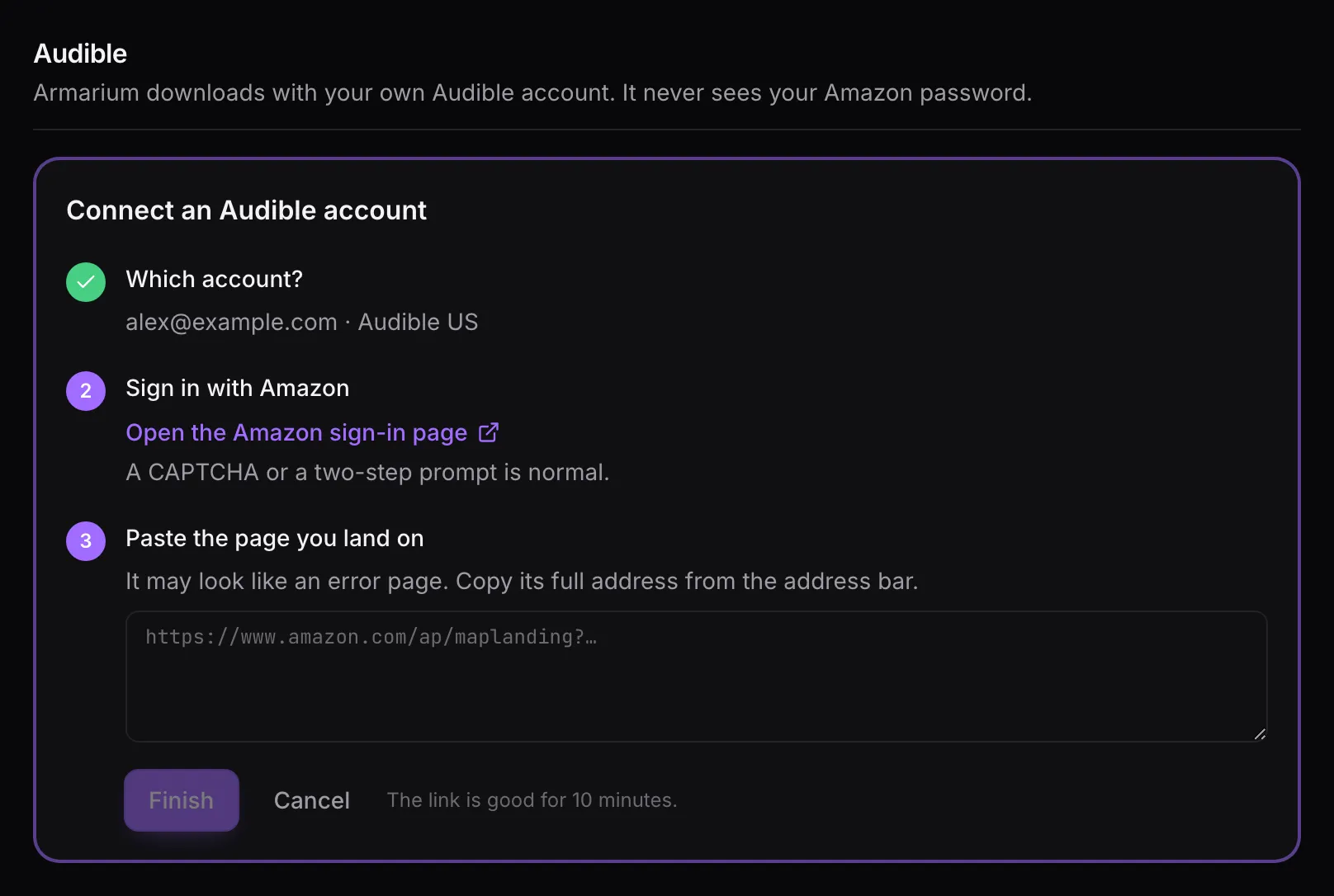
The sign-in link is good for 10 minutes. If it runs out, or something else goes wrong, Armarium shows what happened (with the details under “Technical details”) and you can start again.
Once connected, Armarium reads your library. Nothing is downloaded until you, or an admin, choose books to put on the shelf.
Your account card
Section titled “Your account card”Each connected account shows its store, when it was last checked, and its state:
- Connected: all good.
- Sign in again: Audible stopped accepting the sign-in. Nothing downloads for you until you press Sign in again and repeat the steps above (your email and store are filled in). Admins see this on their Home page too.
Check Audible now reads your library right away instead of waiting for the next scheduled check. Disconnect removes the account; the books you added stay on the shelf.
Adding new purchases automatically
Section titled “Adding new purchases automatically”Turn on Add new purchases to the shelf automatically and every new book a check finds is asked for as if you’d pressed Add to shelf: it still goes through the duplicate check and the admin’s review. The first check after connecting only takes note of what you already own, so turning this on never floods the queue with your back catalog.